Categories
Tags
-
#Dating
#2019 The Cuckoo Club by HIVE is a cute contemporary performing arts venue in Bandra that hosts comedy shows
##sexdating
#tap
# Music Production Course
#“Unveiling the Secrets of Digital Cloning: How Are Digital Humans Created?”
#cute pipes
#smoking
#BPM
#gcash
#load
Archives
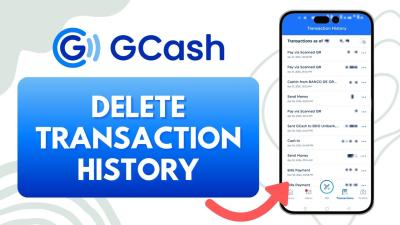
Step-by-Step Guide to Deleting Transaction History in GCash
-
GCash is one of the most popular digital wallets in the Philippines, offering a wide range of financial services such as sending money, paying bills, and online shopping. While the app is incredibly useful, there may be times when users want to delete their transaction history for privacy or security reasons. This article provides a detailed guide on how to manage, view, and delete transaction history in GCash.
Why Would You Want to Delete Your Transaction History?
There are several reasons why you might consider clearing your GCash transaction history. Below are some common scenarios:
- Privacy Concerns: If you share your phone or account with others, you may want to keep your financial activity private.
- Security Reasons: Clearing your history can help reduce risks if someone gains access to your account.
- Declutter Your Records: A cluttered transaction list can make it harder to find specific transactions. Deleting old or irrelevant ones can improve organization.
- Mistakes or Errors: You might want to remove incorrect or duplicate transactions from your history.
Where Can You Find Your Transaction History in GCash?
Before you can delete or manage your transaction history, you first need to know where to locate it. Follow these simple steps to access your transaction history:
- Open the GCash App: Log in using your mobile number and PIN.
- Navigate to the Activity Section: Tap the “Activity” or “Transactions” tab at the bottom of the screen.
- View Your Transactions: Here, you’ll see a list of all recent transactions, including payments, transfers, and bills.
How to View Your Transaction History in GCash
Viewing your transaction history is straightforward. This feature lets you check your payment details, track expenses, and download records if needed. Follow these steps to view your transaction history:
-
Access the Activity Tab
- After logging in, go to the “Activity” section, as mentioned earlier.
-
Filter Your Transactions
- You can sort transactions by date, type, or specific services (e.g., bill payments or cash-ins).
-
Review the Details
- Tap any transaction to see a detailed breakdown, including time, amount, and reference number.
Can You Delete Transactions in GCash?
Here comes the most pressing question—can you delete a transaction from your GCash history? Unfortunately, GCash does not currently allow users to delete individual transactions directly from the app. However, there are some alternative methods and best practices to protect your privacy:
1. Clear Your App Data (For Privacy)
Clearing app data can remove temporary transaction records stored on your device. Here’s how to do it:
- Go to your phone’s Settings.
- Navigate to Apps > GCash > Storage.
- Tap Clear Data or Clear Cache.
Note: This does not erase your transaction history from GCash servers, only your local device’s records.
2. Contact GCash Support
If there’s a specific reason for deleting a transaction, you can contact GCash customer service via their in-app Help Center or email. Explain your concern, and they might assist you in handling sensitive data.
Additional Tips for Managing Transaction History
If deleting isn’t an option, here are some ways to manage and protect your transaction history:
1. Regularly Review Transactions
Check your transactions periodically to ensure everything is accurate and in line with your spending habits.
2. Download Transaction Records
You can save a copy of your transaction history as a backup. Use this feature to monitor your expenses or file disputes when needed.
3. Set Strong Account Security
Enable additional security features such as biometric logins or two-factor authentication (2FA) to prevent unauthorized access to your GCash account.
Frequently Asked Questions (FAQs)
1. Can I delete multiple transactions at once?
No, GCash currently doesn’t allow users to delete single or multiple transactions from their history. You can only manage records by clearing app data or contacting support.
2. Will deleting a transaction affect my account balance?
No, deleting a transaction (if permitted by GCash in specific cases) won’t impact your account balance. All funds and records are securely stored on GCash servers.
3. Can I retrieve a deleted transaction?
If GCash allows a transaction to be deleted, retrieving it might not be possible. It’s essential to save or download a copy of your transaction history beforehand.
4. Is there a limit to the number of transactions I can delete?
GCash doesn’t permit users to delete transactions manually, so this question doesn’t apply in the current app version.
5. Will my GCash account remain secure after deleting transactions?
Yes, deleting transactions (if allowed) does not compromise account security. However, you should always enable security features like PIN codes and 2FA for additional protection.
6. Why might I want to delete my transaction history?
As discussed earlier, reasons include privacy, security, and decluttering your records for better financial management.
Alternatives to Deleting Transaction History
Since GCash doesn’t allow direct deletion of transaction records, here are alternative steps you can take:
-
Archive Your Transactions
Download your records and store them securely in cloud storage or a password-protected device. -
Use a Secondary Account
If you don’t want certain transactions visible in your primary account, consider creating a second GCash account for specific purposes. -
Limit App Access
Ensure your phone is locked and logged out of GCash when not in use. Avoid sharing your login credentials with others.
Conclusion
Managing your GCash transaction history is essential for maintaining privacy, security, and organized financial records. While the app doesn’t currently allow direct deletion of transactions, you can take alternative measures such as clearing app data or contacting customer support for assistance. Remember to regularly review and secure your transaction records to avoid potential issues.
If you have more questions or need further guidance, consult the GCash Help Center or reach out to their customer service.
By taking proactive steps, you can ensure your GCash experience remains smooth, secure, and convenient.