Categories
Tags
-
#Laravel development company
#Laravel Development Services
#Shopware Customization
#Magento 2 Quickbooks
#Magento 2 Quickbooks Integration
#salesforce commerce cloud
#salesforce commerce cloud developers
#magento 2 extension
#Magento 2 SEO Extension
#Odoo Data Migration
#Woocommerce Marketplace Plugin
#Magento 2 Quote System
#Magento 2 ERP Extension
#Magento 2 size chart
#Magento 2 Size chart Module
#Magento 2 Multi Vendor Extension
#Magento 2 Multi Vendor
#Magento 2 Extensions
#woocommerce plugins
#Salesforce Commerce Cloud Solution
#Social Media CRM Solutions
#Social Media CRM
#Odoo Partner
#Social eCommerce Mobile App
#WooCommerce Agency
#WooCommerce Data Migration
#WooCommerce Extension
#Open Source B2B eCommerce Platform
#Open Source B2B eCommerce
Archives
User Guide of Magento 2 Quote System
-
Magento 2 (Adobe Commerce)Quote System will allow the customers to quote for the products in Magento 2 (Adobe Commerce Cloud)store. This module is very helpful in ordering the admin products in bulk. The buyers can communicate with the admin for any queries regarding the quoted products.
Note – Magento 2 Quote System will not work with the Grouped Products.
Quote System Features
- Admin can show/hide the “add to cart” button and product price on the category and product page.
- The module supports custom options.
- The owner can apply a quotation for his products.
- The module allows the admin to Add Multiple Quotes in one go
- Admin can approve, and disapprove quotation requests of the customers as per his requirement.
- Admin and customer can edit and delete the quotation requests from his panel.
- Only registered customers can send quotation requests.
- Customer and admin both can create quotes for out-of-stock products.
-
Admin Can Restrict customers to use Discount while quote product is in the cart.
- Email notification for each action to customer and admin as well.
- The admin and the customers can add images and file attachments to the quote request.
- Create a quote for Simple, configurable, downloadable, and virtual products at the admin end has been added.
- Admin can allow the file types for attachment.
- Both can send messages to each other in the quote request..
Installation
Customers will get a zip folder and they have to extract the contents of this zip folder on their system. Moreover, the extracted folder has an src folder, inside the src folder you have the app folder.
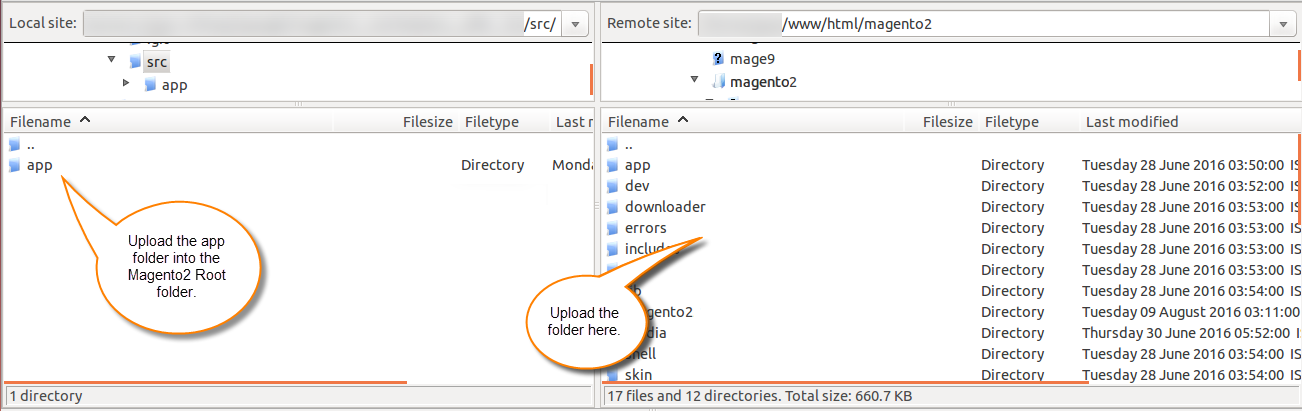
Run Commands
And after the successful installation, you have to run these commands in the Magento2 root directory:
First command –
php bin/magento setup:upgrade
Second Command –
php bin/magento setup:di:compile
Third Command –
php bin/magento setup:static-content:deploy
Cache Management
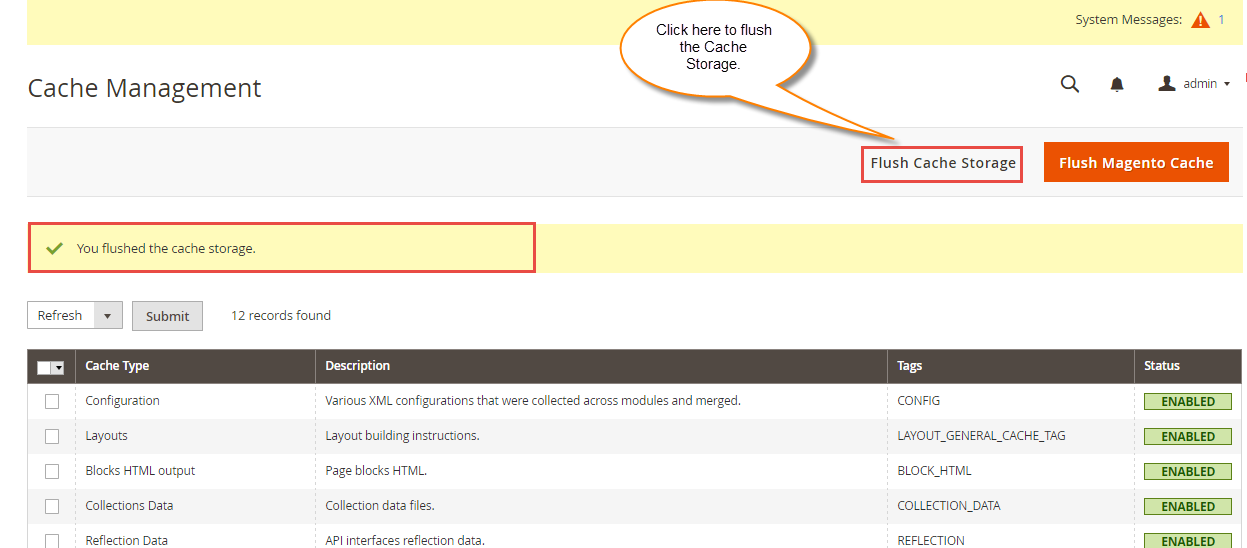
Then after running the commands, you have to flush the cache from the Magento admin panel by navigating through->System->Cache management as shown below.
Configuration For Multi-lingual Support
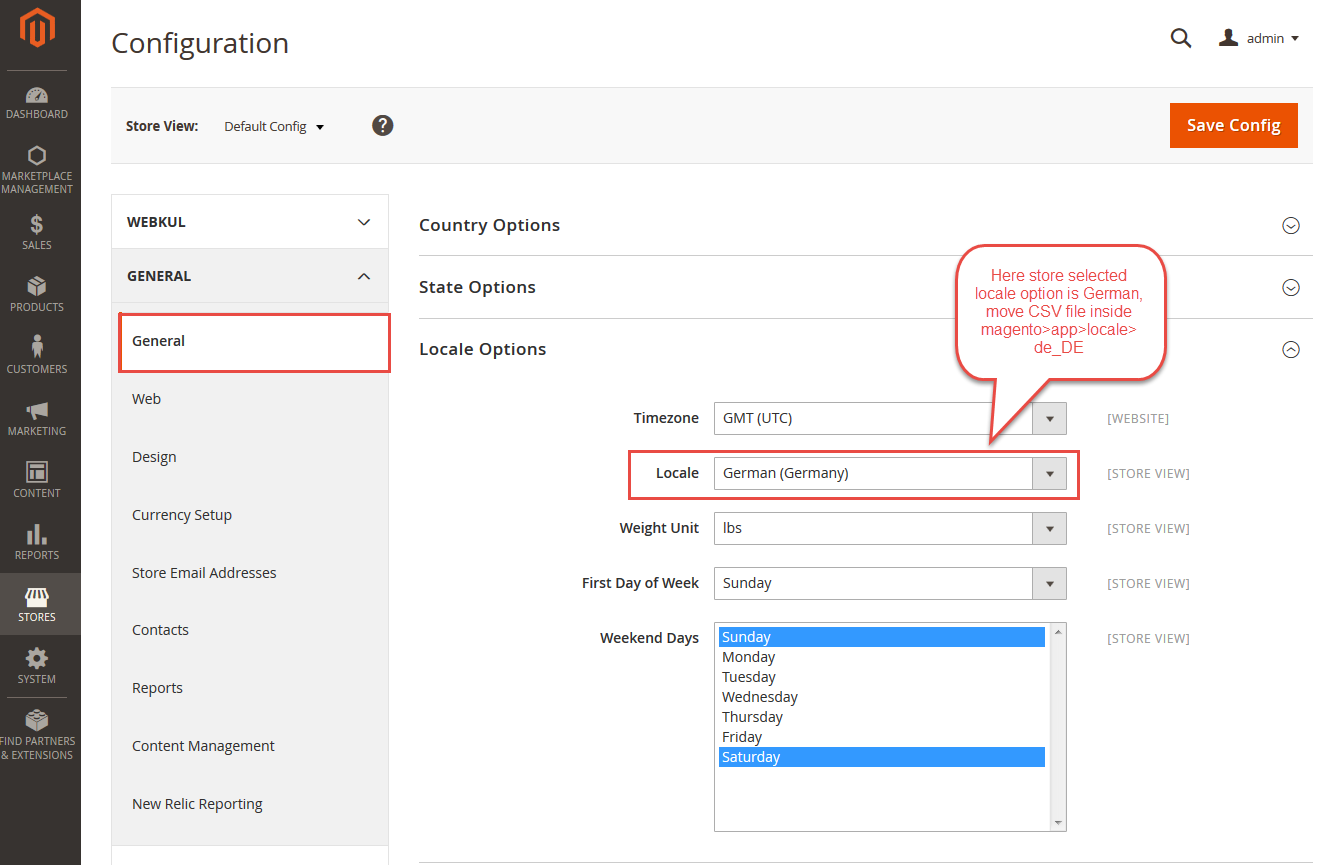
Consequently, for multilingual support, the admin will navigate through Store->Configuration->General ->Locale Options and select the locale as German (the language into which the admin wants to translate his store content).
Translation
If a user wants to translate their module from English to German then they need to follow the path app/code/Webkul/Quotesystem/i18n in their unzipped Magento2(Adobe Commerce Cloud) Quotesystem folder and will get a CSV file with the name “en_US.csv”.
Now they will rename that CSV as “de_DE.csv” and translate all right side content after the comma in the German language.
After editing the CSV, save it and then upload it to the path app/code/Webkul/Quotesystem/i18n where they have installed Magento2 on the server.
The module will get translated into the German Language. It supports both RTL and LTR languages.


Forthwith, the user can edit the CSV like the image below.

Admin Configuration
The admin can configure the module by following the navigation, Stores>Quotesystem.

-
- Quote system Enable/Disable- The module can be enabled or disabled from here.
- Allow To use Discount while quote product is in cart- Then admin can allow the discount on quote product to be applied or not. That is, it’s upon admin if the quoted product will have a discount or not.
- Allowed File Types for Attachment – After that, the owner can allow the file types for attachment only those file types customers can upload from the frontend.
- Show Add to Cart – The admin can show/display the “Add to cart” button at the front end by selecting ” Yes” else “No”.
- Show Product Price – The merchant can show the product/display price at the front end by selecting ” Yes” else “No”.
- Allow Adding Out of Stock Product To Quote- The Customer and admin both can create quotes for out-of-stock products by selecting ” Yes” else “No”.
- Minimum Quote Quantity: The admin can set a default minimum quote quantity for the case when there is no value set for the minimum quantity at the product. If the minimum quote quantity is set at the product then only that value will work with the respective product.
- New Quote Email Template- The template for a new quote can be entered here which will be sent when a new quote is generated.
- Email Template for Quote Status – A quote template will be sent when there is a change in quote status.
- Quote Message Email Template– This quote message is sent when a quote is raised.
- Edited Quote Email Template- Mail is sent when a quote is edited.
Admin Management
The owner can navigate through the Products -> Catalog and select a product or create a new one to add the quotation request.
Quote Status
Store admin will have to set the Quote Status for the product as Yes and set Minimum Quote Quantity so that customers can quote for that product quantity as shown below:

Store Admin will find the quotes under Webkul Quote System->Manage Quotes as shown below:

Here admin can manage as well as can add a new quote for the product on behalf of the customer.
Originally Published - https://webkul.com/